This panel is currently only available for those on Windows. For Mac and Linux users, a simpler Blender text popup will appear. Thanks for your patience as we work this out.
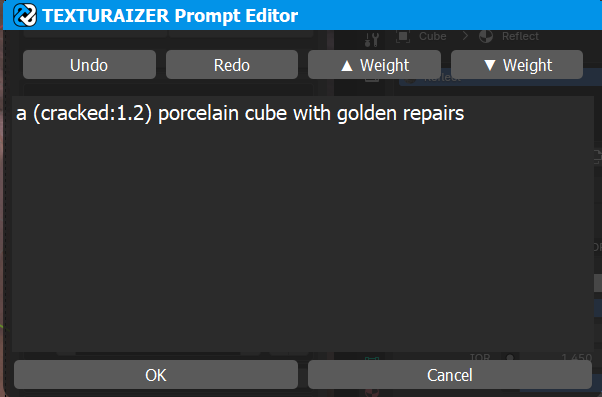


This panel pops up whenever the button to the right side of a text input field is pressed.
Shortcuts:
| ACTION | COMMAND |
|---|---|
| Increase Weight | Ctrl/Cmd + up |
| Decrease Weight | Ctrl/Cmd + down |
| Accept Prompt | Enter/Return (or click outside of popup) |
| Undo | Ctrl/Cmd + Z |
| Redo | Ctrl/Cmd + Shift + Z |
Weight
The “weight ” of a word or phrase can be increased or decreased in ComfyUI. This increased or decreases the importance of that word in the sentence.
By highlighting a word or multiple words and pressing ▲ Weight / ▼ Weight Texturaizer will modify the selected text to increase or decrease the strength of that term. Alternatively press ctrl/cmd + up/down.
Take the following example, both inputs are exactly the same other that the weight of the word “cracked”: